



Spinjoys Account Access and Registration
Those willing to join our ranks only need to complete the Spinjoys login procedure. Doing so unlocks all activities and promotions that unregistered users can only read about. We ask for less than a minute of your time — and offer a small world of games and excitement in return.



Spinjoys Account Registration
Even though we consider ourselves good hosts, there is only so much we can show to our guest users. Games available only in demo mode, bonuses showing only basic information, the activities tab hidden behind the Spinjoys login banner — this is what our casino looks like to those without a profile.
Once you create an account, you become a full-fledged member of the Spin Joys community with perks and opportunities to match the title.
- Get access to our game library with more than 6,000 titles.
- Claim the Welcome Bonus and other free prizes
- Enroll in our Loyalty system
- Spin the Wheel of Fortune
- Join raffles and lotteries
- Participate in tournaments and championships at Spinjoys Casino
- Add and withdraw funds from your account
- Play games with real money and win equally real prizes
- Get access to all sections of the Spin Joys Casino website
- Adjust your profile the way you want
- Make use of our referral program
- View history of your actions
There are plenty of reasons to create a Spinjoys account, and close to no reasons to skip that and keep playing games in demo mode. After all, demos don’t go anywhere for registered users: you can keep trying out games for free as much as you want.
How to Register an Account
Creating a profile indeed takes less than a minute, that wasn’t a clickbait promise to keep your attention. During our initial acquaintance, we don’t pry into your personal details. At least, not those you wouldn’t share when creating an account anywhere else. Here are the steps, you can time them out to see how truthful the Spinjoys Casino team is:
- Tap the “Sign up” button in the header (upper right corner).
- Type in your email address and create a password.
- Accept our Terms and Conditions and confirm that you are 18 years old or older (you won’t be able to create an account otherwise).
- Allow or forbid promotional newsletter.
- Tap “Sign up” once more to create an account.
After that, we ask for basic personal details: first and last name, date of birth, and phone number. We need them to compare later with the document you will provide during the verification process. The information must be truthful, as you won’t be able to change your date of birth without contacting the Spinjoys Support Team later on.
Spinjoys Account Control
With an existing account, you can visit our website from any device. To do so, you need to click on the Spinjoys login window and enter your email and password. You can enable a feature we’ll describe in a bit to make sure other people won’t get their hands on your account, even if they get your credentials.
Now, about the tabs available in your Spin Joys profile. There are 4 sections in which you can find information or adjust related settings:
- Profile. In the General tab, you can update your personal data, monitor the progress of the loyalty system, turn promo newsletters on or off, and opt out of receiving bonuses. The Security tab contains information about your active sessions and session history. Here, you can change your password or enable 2FA, which will require a security code from your trusted device with every Spinjoys login.
- Invite Friends. Everything related to the referral program is stored here: your referral link, calculations on how much you’ve earned by inviting friends, and the general payout scale for each rank your friends achieve.
- History. If something happened during your time at Spin Joys Casino, it is most likely recorded there. Here you can monitor your transactions, claimed bonuses, game wins, and betting history.
- Wallet. This tab works like a regular wallet: it stores your finances. Here you can make a deposit, request a cash-out of your winnings, and change the displayed currency for all games and banners.
You can also check your inbox and log out of your account by clicking your profile icon in the upper-left corner. If you use standard browser settings, you won’t need to go through the Spinjoys login procedure every time you visit us: the browser will save the password and log you in automatically.
Spinjoys Verification and Security
Before we authorize your first withdrawal, we will need to verify your compliance with our Terms & Conditions. You need to provide documents to verify your identity, residence, and ownership of the payment method. Here’s a summary of what you need to prepare:
| Purpose | Eligible Documents | Explanation |
| Proof of Identity | Passport, ID card, driver’s license | Verify that you are 18 years old and don’t violate the laws regarding permitted gaming age. |
| Proof of Residence | Utility bill, bank statement, any official document with your address specified | Confirm that you live in the country where online casinos are permitted and that you don’t use any services to conceal your real location to visit our website. |
| Proof of Payment Method Ownership | Bank card photo, e-wallet screenshot, crypto profile screenshot. | Make sure you are the owner of the payment means and don’t use our casino for money laundering. |
It usually takes up to 48 hours for our team to review your documents and deliver our decision. If you don’t manage to complete the verification process at your first try, you can do so again, taking into account the reasons for the first refusal. If you have any questions about the process, it’s best to clarify them with our multilingual support.
Your account is protected from third parties with our numerous security tools. Spin Joys Casino has reliable CAPTCHA and anti-bot systems that prevent automated hacking of your account. You can also enable 2FA so that anyone trying to access your account needs a code from your phone.
Forgot Your Password?
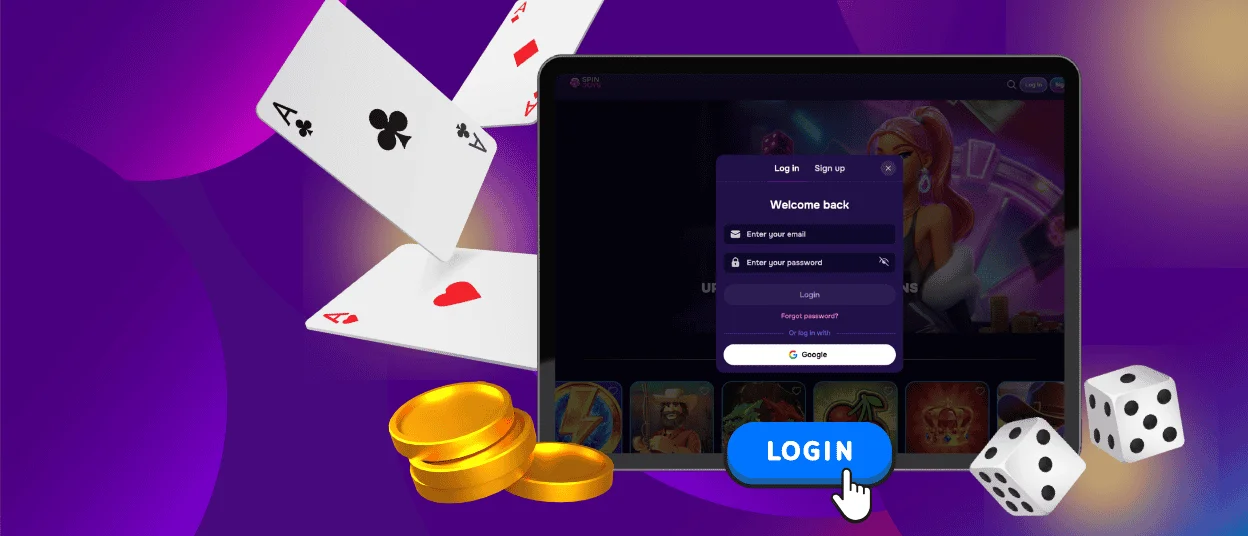
If you can’t remember your password, you can always reset it by selecting a corresponding option at the Spinjoys login window. Enter the email address you used during registration, and we will send you a reset link. If there is some other problem with your account access, we have live chat available 24/7.
FAQ
Can I create multiple accounts at your online casino?
We have a one-account-per-person policy. If you try to create another profile, we reserve the right to block both the new and old ones. Moreover, we allow only one account per household, so if you live with several people, only one of you can create a profile at Spinjoys Casino.
Do I need to complete the verification process immediately after registration?
No, we ask that you complete the verification procedure when you request a withdrawal of your funds. After our request, you have 15 days to gather all necessary documents and upload them for our inspection.
Can I change my personal information after I register?
You can change some of your personal details, but not all of them. For example, you can’t change your date of birth, so we ask that you enter the correct date during account registration. If you complete the verification procedure, you will only be able to change your information by submitting a request to our Support Team.


